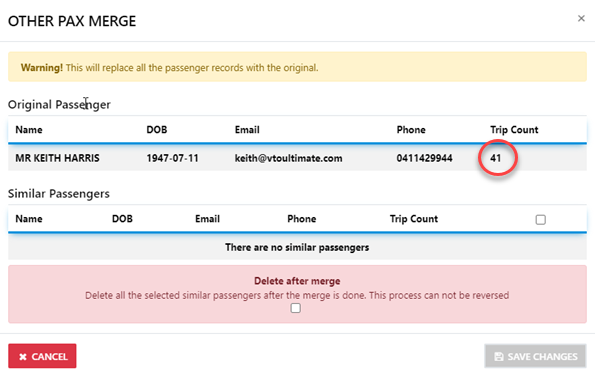
How do I delete Duplicate Passenger Profiles
You start by drilling down to the Passenger Profile "Search Engine
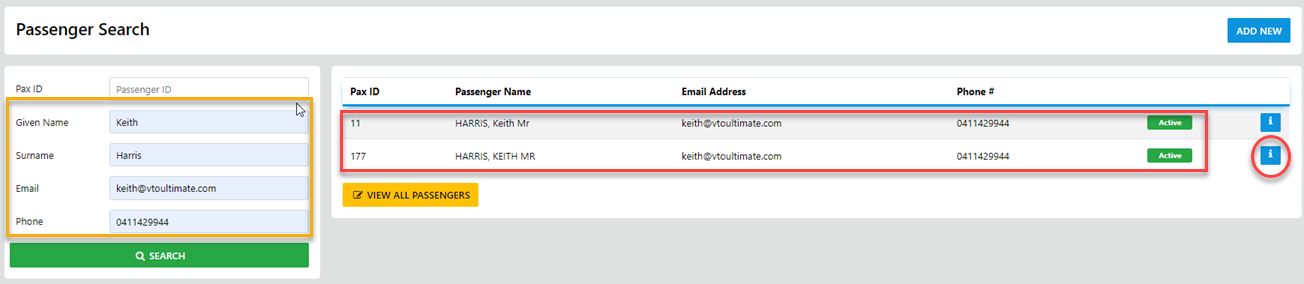
Enter the Surname of the desired Passenger
THEN - Select the Info or Details Option to reveal the selected Passenger profile
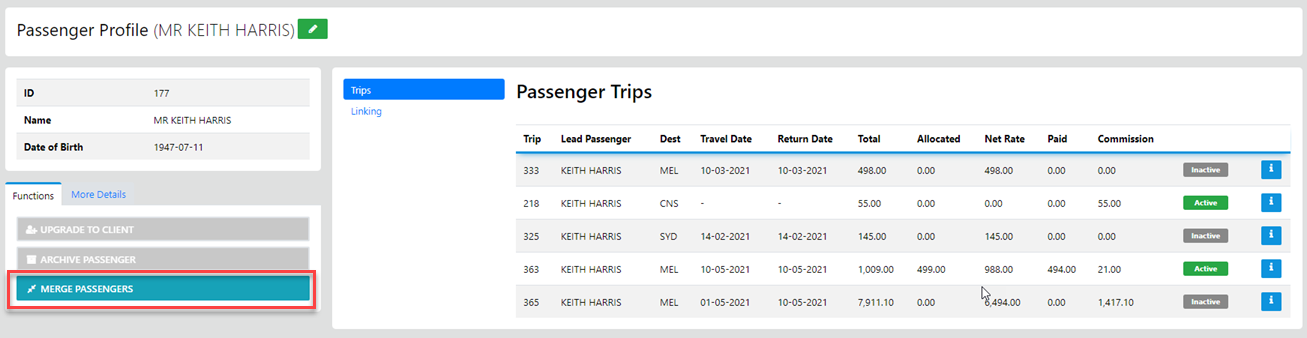
NEXT - Select the Functions TAB then select the Merge Passenger Option
It's important to ALWAYS Merge the Profile with the Least number of trips and details into the Profile with the most
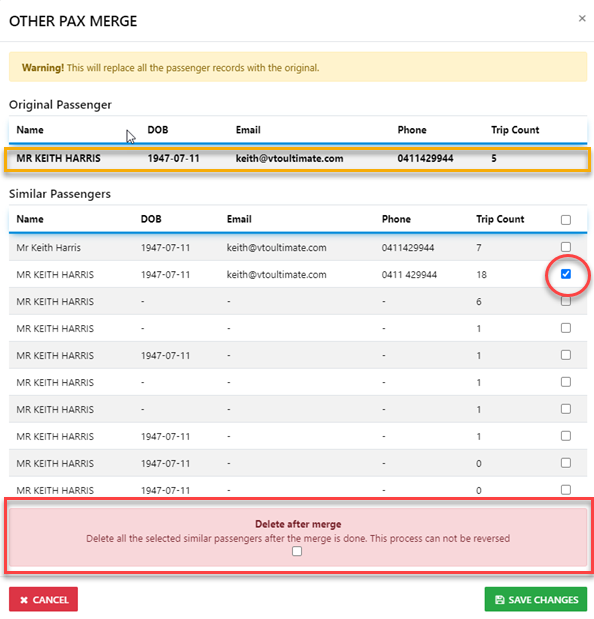
on completion of the Merge process you can DELETE all of the profiles with 0 trip for merged result