To Update the sector status select the "pencil" icon
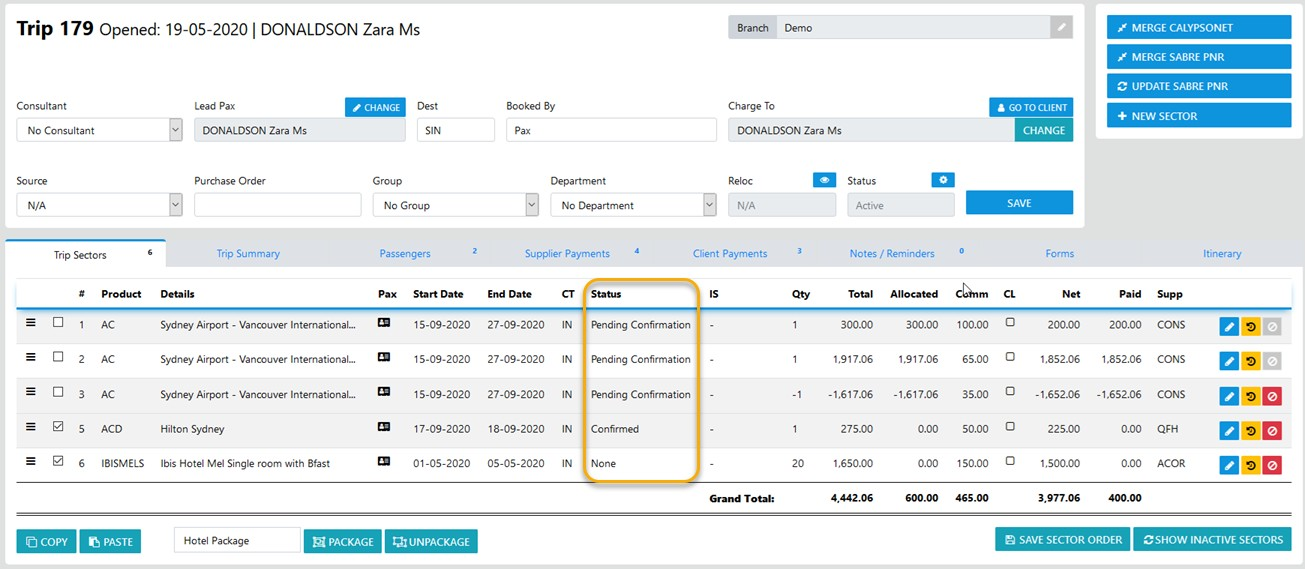
Then update the Status as desired
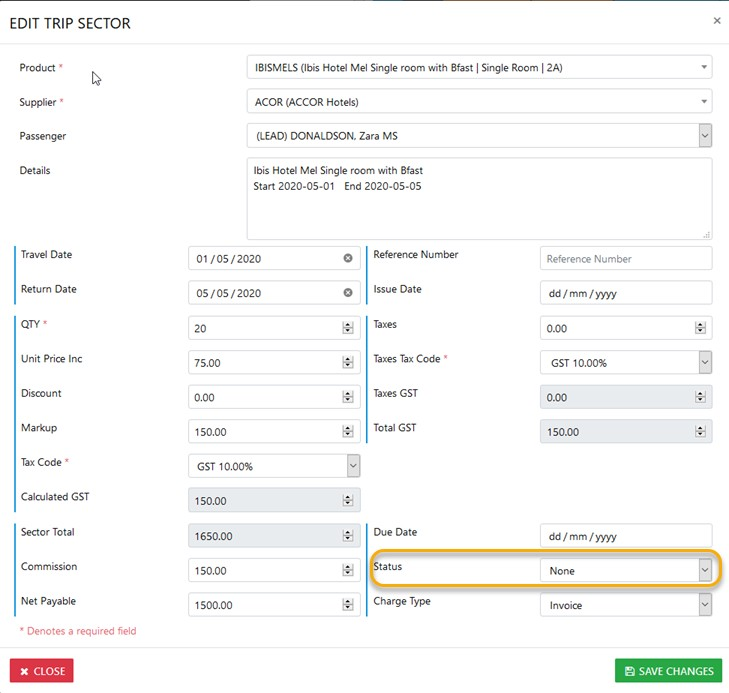
Then select the desired "Status" from the list box then "Save Changes"

Modified on: Fri, 19 Nov, 2021 at 7:01 AM
To Update the sector status select the "pencil" icon
Then update the Status as desired
Then select the desired "Status" from the list box then "Save Changes"
Did you find it helpful? Yes No
Send feedback