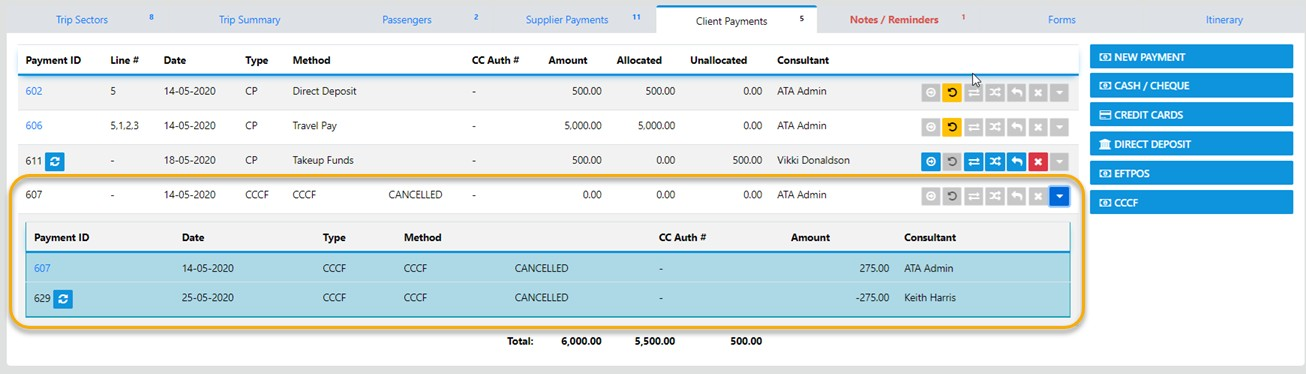
CCCF Refunds are normally transacted between the Supplier and the Client however, in some instances the supplier may refund to the agency which then requires the following actions;
NOTE: in Ultimate CCCF transactions can only be processed as a One to One (One CCCF to One Sector)
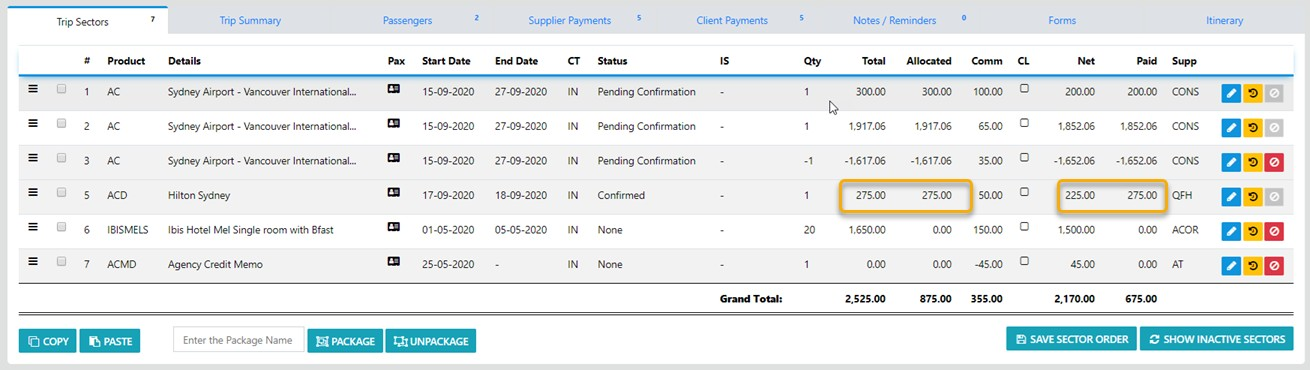
In the example above you can see the CCCF has been fully allocated to the Sector and to the Supplier
Because the Commission has NOT been claimed on this sector reversing the CCCF is going to be really simple ...
when we select the Client Payments TAB the client allocation is revealed:-

If per chance you have incorrectly receipted and allocated the payment as a CCCF and need to Cancel the transaction just select the Red Cross Icon and the following Modal will display
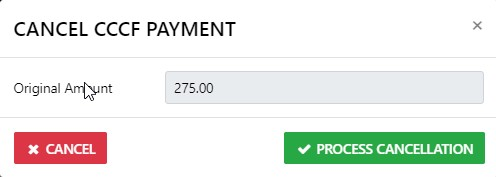
Do NOT add anything into this form as we are simply VOIDING the CCCF Payment ... just select Process Cancellation
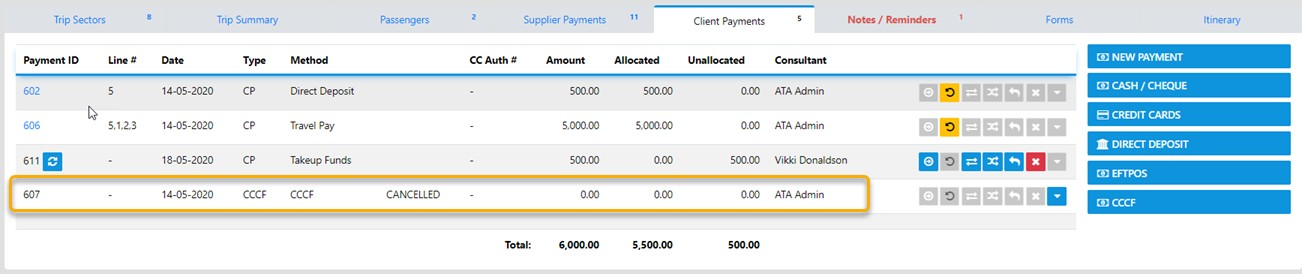
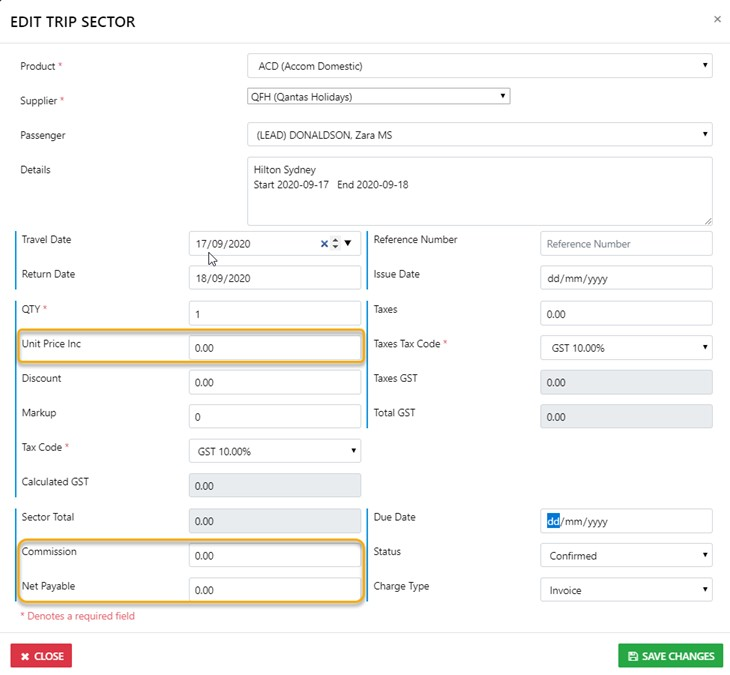
make sure you drill down into the sector and set the Unit Price and net Remit values to 0.00
Finally you can review the Outcome of the prior action by selecting the expand Icon to reveal the result of the transaction